Monday, February 7, 2022

Important Things to Know About SAN Storage

Any network storage is a very important aspect of an enterprise’s health and productivity. With a really good storage management solution, enterprises and small businesses can maximize server performance and be prepared in case of a disaster and such a solution is SAN storage as it helps greatly in achieving the goals of the enterprise.

What is SAN Storage Really?

SAN storage, in simpler terms, is a high-speed network that is dedicated and connects data storage tools with larger networks. SAN storage facilitates the communication between computer systems and networks by connecting to pools of storage via SAN switches.


SAN Storage Functions

SAN storage has many functions apart from just communicating between storage devices and computers. SAN storage exhibits several other distinctive functions as well, such as the following:

-        SAN storage conducts application traffic and as well as administrative traffic also.  

-        SAN storage operates a wide range of network technologies which range from ethernet to Fibre Channel (FC).

-        SAN storage connects diverse types of storage devices which includes robotic libraries, RAID subsystems, file servers and tape drives.

The versatility of SAN storage encourages innovation in many ways. This leads to sustained developments in processing and storage of digital information and benefits the enterprise in many ways.

SAN Storage Characteristics

-        SAN storage solutions  incorporates multipurpose servers instead of single servers or dedicated servers used by other storage networks.

-        SAN storage uses open operating systems whereas other storage networks such as NAS uses propriety operating systems.

-        SAN storage is fairly easy to upgrade as compared to other storage networks,

-        SAN uses a wide range of protocols including fiber channel, ethernet and hyperSCSI.

-        SAN storage uses block protocol, which means that SAN storage can use detached and high-speed networks to transport data in blocks to the storage arrays. Other than this, SAN storage application servers host their file systems directly which saves additional passage of data through another server.

SAN Storage Can Improve Enterprise Performance

-        Improved Disk Utilization: SAN storage offers improved disk utilization. It offers a more effective and efficient use of resources.

-        Disaster Recovery: SAN storage lets enterprises recover data from multiple appliances a lot quickly as compared to other storage networks.

-        Application Availability: SAN storage, thanks to data protection algorithms, keeps data consistent and accessible, all the time.

-        Increase Backup Speed: With SAN storage, enterprises can backup large amounts of data in fairly less amount of time.

Conclusion

SAN storage can be very beneficial for any enterprise that chooses to adopt it. Even though it can be a little costly, the payoff is quite worth it as it offers a secure, organized and more accessible network that most storage networks cannot offer.

Saturday, November 27, 2021

How to Secure Your NAS Storage Solution?

It is very common to see enterprises these days use enterprise NAS storage systems which is a good thing as these storage solutions offer a lot of features and benefits. However, it is also important to address the security concerns that come along NAS storage solutions.

In this article we address some of those concerns and highlight some helpful tips for securing your NAS storage solution.


Set-up Authentication in Enterprise NAS Storage

First up is setting up some sort of authentication for your NAS storage system. A Two-step or two-factor authentication is usually recommended. It is basically a layer of protection that requires a user to not only give the login and password credentials to log-in to the system but also has to provide another device number, for example, a smartphone, or serial number to further authenticate the user. It adds an additional layer to the safety of the NAS storage system and also adds authenticity to the user trying to log-in to the system.

Use a Firewall for Enterprise NAS Storage

Along with adopting modern measures to keep the NAS storage system secure, the basic and more general precautionary measures must also not be ignored. Setting up a firewall is one of them and is always a good option to keep the data secure. It makes sure that no external user or spam tries to access the system and usually notifies when something similar happens.

Keep Enterprise NAS Storage on Local Network

Putting enterprise NAS storage off the internet is a very important thing to do for the users to reduce the risks of ransomware attacks or any other malicious attack or data breach. It makes it difficult to attack the NAS system when it is not kept on the network that is not shared publicly and just is limited to the local network of the businesses.

Conclusion

Keeping NAS storage systems safe, secure and protected from malicious activities, ransomware attacks and data breaches is easy and achievable, provided enterprises take the simple necessary steps and do not ignore and underestimate the vigilance of the attackers and cyber-criminals.

There are many vendors like StoneFly that offer enterprise NAS storage solutions that are safe, secure and reliable due to the many data services they offer like; storage encryption, snapshots, built-in ransomware protection and so much more. This makes StoneFly NAS storage solutions a good fit for enterprises that want a reliable and secure NAS storage solution.

Friday, November 19, 2021

Cloud Backup Software Can Solve DR Challenges- Here’s How

Cloud Disaster Recovery (DR) is seen as a vital part of any business that deals with mission-critical data. However, before recovery of data can be made, it is first important to figure out what exactly needs to be backed up and how to overcome the challenges associated with data backup and recovery. Businesses need a plan to follow in order to ensure efficient data recovery backup and cloud backup software can help with that.


Create a Cloud Backup Plan

Before you get started with anything, it is first important to create a cloud backup plan first. There is no way to achieve efficient backups without having any backup plan on what to exactly backup.

It is good idea to note down what exactly needs to be protected and how quick data recovery is required to be. This is done by calculating Recovery Time Objectives (RTOs) and Recovery Point Objectives (RPOs).

Understanding all these factors can help greatly in formulating a cloud backup solution and cloud backup plan for ensuring efficient recovery of backup data, whenever it is needed.

Granularity & Recovery of Data

Another very important thing that needs to be done is that restoring from cloud backups should be made available on a granular level, rather than individually. It is not feasible to pull back gigabytes of Virtual Machines (VMs) for a single file or some small number of files. This will prove to be very costly and time-consuming in the long run.

The good news however, is that most cloud vendors do allow this, so it won’t be an issue when getting a cloud backup solution as a standard feature when opting for a cloud backup vendor.

Costs Reductions with Cloud Backup Software

Cloud backup can be costly in the long run and for companies on a budget, especially Smaller to Medium-sized Businesses (SMBs) this can be a hurdle. A solution to this is to have a cloud backup software, rather than an appliance which can offer backup and DR in a must budget-friendly price. This will allow organizations to reduce the costs while also retaining the ability to failover in a true disaster recovery scenario.


In Conclusion

Data recovery is considered as a vital tool for businesses and it is very important for the business that it actually works, in fact, it is a top priority. Creating a data backup plan, maintaining granularity with cloud backups and utilizing a cloud backup software solution, rather than a dedicated backup appliance can greatly help overcome the challenges of cloud data recovery and ensure smooth recovery of mission-critical data while also staying on a budget.

Monday, October 25, 2021

Why Cloud Backup Storage Makes Sense?

Nowadays, more and more enterprises and businesses are looking to bolster their security and data protection strategies and in doing so, they need a reliable place to store their backup data, and cloud backup storage is becoming a preferred choice. This is because the cloud offers multiple benefits such as; flexibility, scalability and greater accessibility.

Why Use Cloud Backup Storage for Backups?

The short answer to this is reliability and cost-effectiveness. The long answer, however, is that using cloud backup storage to store backups offers a performance boost as it optimizes data transfer speeds through the use of compression, data deduplication, rate limits, bandwidth throttling and much more.

Furthermore, data is also very secure as cloud backup storage offers reliable data protection offers advanced data encryption which means that only the authorized personnel can access data backups.


Other than this, thanks to the use of compression, deduplication and etc., data transfer speeds are much faster. Which means that the recovery of data is also very fast, resulting in faster Recovery Time Objectives (RTOs) and Recovery Point Objectives (RPOs).

Cloud Backup Storage- Easy Deployment & Scalability

Cloud backup storage is easy to deploy. There are no difficult procedures or high costs. This makes it ideal for Small to Medium-sized Businesses (SMBs) as they are always on a tight budget and cloud backup storage can help them get a reliable storage for their data.

Furthermore, businesses can also avail the option of scalability. This means that they can start off small and use only the services and features that they need right now and can always upgrade to more services if needed in future. This also applies to storage. Businesses can easily scale up more storage and meet their storage needs when required.

Make Sure to Protect Cloud Backup Storage Also

Backing up data is not the final step in the data protection strategy. Users also need to make sure that they protect their cloud backup storage as well. This is because cyber-attackers are now targeting cloud backup storage as well so users need to protect their cloud backup storage before its too late. One tip is to back up the cloud backup storage in order to avoid any inconvenience.

Conclusion

Cloud storage is a great option for businesses that are looking for a reliable place to store their data while also staying on a budget. It offers many additional features like encryption, deduplication, scalability and more, and is fairly easy to deploy as well. Although, while it is secure, it is still a good idea to back up the cloud backup storage as well in order to get that extra layer of protection.

Tuesday, October 19, 2021

Cloud Backup & Ransomware- Is Cloud Backup Enough?

With the rapid increase in ransomware, cyber-attackers are targeting everyone from multinational enterprises to schools, malls and even Small to Medium-sized Businesses (SMBs). To protect against these attacks, enterprises and even SMBs need to back up their data and cloud backup has made this task fairly easy. However, is backing up to the cloud enough to protect against ransomware? Let’s find out.


Is Cloud Backup Reliable?

To answer this question briefly, yes cloud backup is reliable but it has its limitations. Many businesses have made the switch to cloud backup solutions and while cloud backup is a reliable off-site solution, it should not be the only off-site solution.

This, however, does not mean that cloud backups are not reliable. They are very reliable in many ways but just like any other solutions, they also have their limitations.

For instance, cloud backups can not be backed up or recovered if there is no internet. So, this must be kept in mind when adopting a cloud backup solution.

The 3-2-1 Backup Rule

The well known 3-2-1 backup rule is very famous but experts now suggest that it should be modified a bit and it should change to 3-2-1-1 backup rule. Now, this rule states that there should be at least 3 copies of data in 2 different storage media where 1 of the copy but be stored off-site and 1 should be offline.

Is Cloud Backup Effective Against Ransomware?

Ransomware typically works by encrypting files and other forms of data and hold them hostage until a ransom payment is made by the victim. This payment is usually made in Bitcoins which makes it impossible to trace the cyber-attackers and this is one the reasons why paying these cyber-attackers is not recommended.

One of the biggest benefits of cloud backups is that they are stored off-site, off the business network which gives them an added layer of security. What this means is that ransomware can’t affect the backup files as they are off the network of the company.

This, however, doesn’t necessary mean that cloud backups are immune to ransomware attacks, they too can get infected. So, a recommended approach is to use hybrid cloud backup approach in which 1 copy is also offline in case something happens to cloud backups as well.

Conclusion

Ransomware attacks are growing so rapidly that if businesses don’t act now and protect their data, it might be too late. Getting a cloud backup solution is not enough. In order to ensure reliable protection from ransomware a hybrid cloud backup approach is recommended while also following the modified 3-2-1-1 backup rule.

Wednesday, September 29, 2021

Server Cloud Backups for SMBs- A Great Combo

Data loss can happen to any business, especially when there are so many reasons for data loss such as natural disasters, ransomware attacks, human errors and more. All of these reasons make backup and Disaster Recovery (DR) extremely important especially for servers.

Small to Medium-sized Businesses (SMBs) are no exception to data loss and they require ransomware protection and data loss protection also as their data is also valuable to them. However, certain budget limitations usually restrict them to get a full-fledged backup and DR appliance or solution in which they can back up all of their data and servers.

However, there are some server cloud backup solutions from vendors like StoneFly that offer budget friendly server cloud backups which can act as a savior for SMBs with smaller budgets.

Server Cloud Backup- Great Option for SMBs

Server cloud backup is a great online backup and DR solution for SMBs. As it is affordable, reliable and is easy to use, offering many additional features as well.

The main reason why it is recommended to SMBs is that it is the affordability nature of it. This way, SMBs won’t have to go overboard with their budget in order to get a good server cloud backup solution for their business.

Active Protection Against Data Loss with Server Cloud Backup

Data loss is bound to happen without any data loss protection as there are so many threats of data loss and for SMBs that do not want to lose their mission-critical data and servers, server cloud backup is their best bet as ransomware attacks and data loss can target servers as well so it is best to protect everything beforehand, including servers otherwise, all data would be lost.

Server cloud backup enables SMBs to effectively back up all of their data and servers, whether they are Windows servers or Linux servers, so that they can fight ransomware and recover from their backups without having to pay any hefty amount of ransom money.

Furthermore, SMBs also won’t have to worry about facing any excessive amount of downtime either as with most server cloud backup solutions, businesses are able to recover from backups and continue operations.

Additionally, in the event of a natural disaster, they can even recover their data remotely and continue operations from elsewhere even if their primary site is inaccessible. So, sever cloud backups can offer SMBs a lot more than just backing up data.

Conclusion

Server cloud backup is a great solution for SMBs that are looking to back up and protect their data from the many threats of data loss in a most affordable and reliable way. It offers complete ransomware and data loss protection and offers many features which helps SMBs stay operational even during a disaster.

Monday, August 23, 2021

How to Choose the Best Enterprise NAS Storage for Your Business

 “The cost effective nature of NAS storage makes it a preferred choice among enterprises.” Said Technavio’s lead analyst Rakesh Kumar

Storage drives and storage technology is evolving day by day, similarly the capability of enterprise Network Attached Storage (NAS) for storing data is increasing proportionally. Businesses are always searching for optimized storage solutions. Choosing the right kind of enterprise NAS storage is important for managing enterprise-grade workloads.

SMEs, SMBs, and large organizations can leverage enterprise NAS storage technology for a variety of use-cases and applications. When it comes to choosing the NAS most suited for your business, it may be a bit difficult to pick the right kind of NAS storage without proper guidance.

Consider these questions when choosing an enterprise NAS storage for your business:

Ø  How much storage capacity is needed?

It may sound simple but this question warrants a great deal of preparation and forecasting. Do it wrong and your business ends up with fat provisioned storage resources that consume space, resources, and add no immediate value. Do it right and you get exactly what your business needs; immediately adding value and using resources affectively.


Storage Capacity for Enterprise NAS

 In terms of forecasting storage capacity, file-level storage or NAS storage is ideal because of its scalability. The ability to scale file-level infrastructure enables businesses to setup storage as per their immediate requirements and they can scale when their storage requirements grow. 

A thing to note here is that the ability to scale depends on the vendor and the NAS storage technology. For instance, StoneFly offers a NAS storage solution that can scale into petabytes and they can set it up as a redundant appliance too; giving users the ability to dually scale (performance + storage capacity) their storage infrastructure. 

How “flexible” is the enterprise NAS storage

Enterprise NAS storage can be called “flexible” if it can adapt and accommodate in accordance to businesses’ requirements. Here’s a brief list of what a good enterprise NAS storage solution should offer as a standard:

  • Compatibility with mainstream servers and software.
  • Built-in cloud connect and support for enterprise clouds like Azure cloud storage, AWS cloud, and others.
  • Configurable as an All-Flash, Hybrid (SSD/Flash + SAS/Hard drives), and pure SAS/hard drive NAS.
  • Should support High Availability (HA) configuration and multi-path connections.
  • Should offer data services such as erasure coding, snapshots, replication, and encryption.
  • Should have a modular, redundant, and hot-swappable architecture. 

You might be thinking, that’s a big list. Are there really any enterprise NAS storage solutions out there that provide all of these desired features? Well yes, StoneFly SSO™ NAS delivers these and more.

Conclusion

In the end, every business has their own set of requirements. That’s why what works for most may not work for your business. It is very important to first analyze and understand what your business needs when it comes to data storage. And then begin the search for the ideal enterprise NAS storage.

However, regardless of the industry and the use-case, there are some attributes that should be a part of an enterprise-level NAS storage solution. A NAS appliance has to be flexible enough so that it’s future-proof and has the ability to scale as the business data grows. It has to be reliable so that in the event of hardware failure, the business doesn’t have to endure data loss.

These two are the most important attributes of an ideal enterprise NAS storage solution and a must-have for all businesses. 


Tuesday, July 27, 2021

Advantages of Combining Cloud Backup & Disaster Recovery


There have been a lot of ransomware attacks in the previous year and in this year as well (so far), which has made enterprises and businesses make cloud backup and Disaster Recovery (DR) a top priority in their business plan.

Moreover, security experts are predicting a harsh year for cyberattacks which further highlights the importance of a cloud backup and DR solution but getting two separate solutions can be a hassle, so combining the two (cloud backup and disaster recovery) into one comprehensive solution seems like a better idea and is actually a recommended approach by experts as it offers many advantages.

Reduced Complexity with Cloud Disaster Recovery

Since cloud backup and recovery are merged into a single solution, this significantly reduces the complexity that having multiple solutions might bring. There are no separate discrete solutions for every IT
function which might create a convoluted environment that is difficult to manage and secure.

Improved RTOs & RPOs with Cloud Disaster Recovery

Recovery Time Objective (RTO) and Recovery Point Objective (RPO) are the main parameters to watch when it comes to data protection and DR. With a combined cloud disaster recovery solution, enterprises get a solution that helps them meet their RTO and RPO targets.

Faster Recovery with Cloud Disaster Recovery

Cloud disaster recovery solution can be accessed from anywhere which greatly shortens recovery time. This means that no matter what caused the disaster or what kind of a disaster there is, someone on the recovery team will be able to install the backup files and initiate the disaster response.

Easy Scalability with Cloud Disaster Recovery

Cloud backup and disaster recovery solutions offer perfect number of resources that are available always. This means that whenever the needs of the enterprise increase, they can easily scale up to meet the demand.

Increased Security with Cloud Disaster Recovery

Cloud backup and recovery solutions are protected by state-of-the-art security technology at every layer. From the environment and physical parameter to the data and infrastructure layers, everything is protected. This makes cloud disaster recovery solutions highly secure.

Lower Costs with Cloud Disaster Recovery

Cloud backup and disaster recovery significantly reduces the costs associated with disk storage space and hardware, as well as software maintenance. Moreover, unified solution frees up IT staff workload to work on business-growth initiatives. 

Conclusion

Combining cloud backup and disaster recovery into a single, unified solution offers so many benefits that more and more enterprises are adopting it and more vendors, such as StoneFly, are offering cloud disaster recovery solutions with attractive pricing. So, get a cloud disaster recovery solution today and enjoy the many benefits that come along with it.

Thursday, July 1, 2021

Tips for Reducing Service Downtime with Cloud Backup & Recovery


There is no doubt to the fact that no business wants downtime. They want to reduce it as little as possible. It not only impacts productivity but also risks lost in customers, and can potentially put the business out of business. This is why businesses of all sizes, big or small, want to reduce downtime as much as possible and are actively looking for solutions to do so. Fortunately, cloud backup and recovery solutions go a long way in reducing downtime and maintaining business continuity but only if they are used right.

Cloud Data Backup & Recovery Plan

Nowadays, cyber-attacks have risen quite a lot, and their number is increasing every day. It is best to have a proper backup and recovery plan alongside a cloud backup and recovery solution beforehand in order to avoid any inconvenience during the incident and reduce downtime altogether as a backup and recovery solution alone is not enough to ensure efficient recovery of data.

Apart from cyber-attacks, natural disasters are also a threat to data loss and can cause significant amount of downtime. Without having a proper cloud backup and recovery solution and plan in place, it can be very difficult to continue operations instantly and can result in a lot of unwanted service downtime.

A cloud backup and recovery solution enable businesses to access their data from anywhere in the world and continue operations, even if their primary location has been severely affected. This in return ensures business continuity and reduces the service downtime.

Perform Routine Backups & Back Up Cloud Backup Storage

In order to ensure business continuity and reduce service downtime, businesses need to back up their data regularly. There is no point of having a backup of your data if you’re not able to gain benefit from it so routinely backing up all your files to an off-site location can play an important role in reducing service downtime. 

Other than this, in order to fully ensure that downtime is reduced, businesses need to back up their cloud backup storage as well. This is because cyber-attackers are now also targeting cloud backup storage as they know that many businesses now have backup of data, so in order to force businesses to pay, cyber-attackers are targeting cloud backup storage. So, this makes it vital to back up cloud backup storage also in order to ensure recovery of data when needed and thus reducing downtime.

Conclusion

Service downtime can be both frustrating and damaging for any business. It is an unwanted hurdle which can lead to a huge loss for the business. Fortunately, through proper cloud backup and recovery plan, routine backups and backing up cloud backup storage, businesses can reduce downtime significantly.

Wednesday, May 5, 2021

What Can Hyperconverged Infrastructure Do for your Business?


Hyperconverged infrastructure is a widely used and renowned data storage solution which does not disappoint the users and businesses once they have adapted it.

In this article, we discuss some of the many advantages hyperconverged infrastructure offers businesses and how can they be beneficial.


Hyperconverged Infrastructure is More Focused on Data

Hyperconverged infrastructure plays a very vital role in managing data and is also mainly focused on data itself. Hyperconverged infrastructure takes care of all the data that undergoes transaction of any kind.

Hyperconverged infrastructure is efficient in its own way due to the fact that it manages transactional data storage.

Hyperconverged infrastructure offers data modernization which makes it a very beneficial architecture for enterprises and businesses of all sorts. Hyperconverged infrastructure provides a single point of control and management for the data storage components which makes it possible to have more control and a more dynamic management of the infrastructure.

Hyperconverged Infrastructure & Edge Computing

Hyperconverged infrastructure is a great suitable platform for the edge computing. Edge computing, as we know, is going to be the future of data storage world. So, hyperconverged infrastructure has stepped up with the compatibility and support for edge computing in order to meet the needs of the future and to benefit the businesses in every way possible.

Hyperconverged Infrastructure is Cost-Efficient & Offers Low Cost of Ownership

Hyperconverged infrastructure makes businesses pay less in terms of total cost of ownership. It follows a ‘pay less, get more’ model. When businesses adapt Hyperconverged infrastructure for the first time, they do not predict what benefits and continued ease of management hyperconverged infrastructure have in store for them.

Furthermore, businesses do not have to buy most of the hardware equipment. Hyperconverged infrastructure adjusts and runs on existing hardware equipment a business has. This flexibility and adaptive nature of Hyperconverged infrastructure makes it a very beneficial solution for businesses that are looking for a solution which does not force them to buy the entire infrastructure from scratch.

When businesses keep on using hyperconverged appliance for a longer period of time, it experiences the ease of scalability, flexibility and friendliness in terms of user experience. These are the benefits which are felt only after a considerable time period has been past using hyperconverged infrastructure or a hyperconverged appliance.

The return on investment is guaranteed to be valuable enough that the decision of moving to hyperconverged infrastructure will never be regretted.

Conclusion

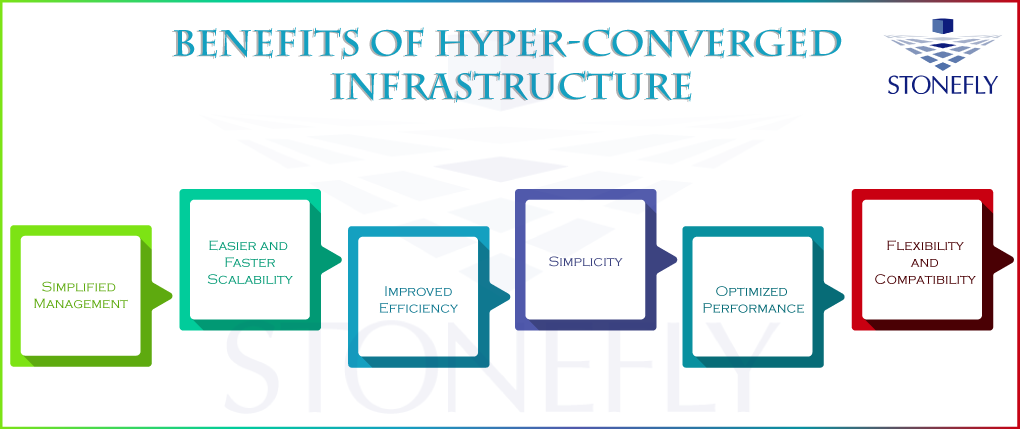
Hyperconverged infrastructure is a data storage solution which does not disappoint businesses in any way once they have adapted to it. It is a solution which offers so much flexibility, simplicity, efficiency and cost savings by combining network, compute and storage to one hyperconverged appliance that reduces the hardware requirements and the overall infrastructure footprint of any business.

Tuesday, April 13, 2021

How Cloud Archiving Can Remove Your Data Archiving Hurdles


Nowadays, enterprises need to meet data storage and archiving related challenges as the data production has significantly increased. These challenges usually arise from lack of on-premises storage space.

Cloud archiving addresses these issues with long-term data storage solutions and with options like scalability, disaster recovery, compliance, etc.


Here are some of the few challenges that enterprises face:

Data Archiving Challenges- Off-Premises Storage Archive

Having on-premises archiving solutions increase the on-premises workloads. This might lead to business disruptions and take up vital resources required for critical business operations. Archiving is considered a very slow process and ‘cold data’ is not treated as critical data and thus resorted to cheaper storage media.

Cloud data archiving solutions shift the responsibility of managing, securing and storing archival data from the hands of the company to the cloud service providers and vendors.

This enables the enterprises to store data for a long-term off-premises as required by the 3-2-1 backup strategy.

Data Archiving Challenges-Achieving Scalability with Cloud Archiving Solutions

Scalability is another challenge faced by enterprises when storing data in on-premises archiving solutions in cheap tier storage.

Having the on-premises flash and fixed-disk storage available for critical business operations is important. That is the reason why enterprises are quickly adopting cloud because they want to liberate on-premises storage for critical workloads and because cloud gateway solutions are scalable.

In just a matter of minutes the enterprise can scale up or down their cloud data archiving solutions.

Data Archiving Challenges- Data Life Cycle

Managing data life cycle and the organization data retention polices for various types of data can also be very challenging. Cloud archiving solutions solve this problem by providing management software that recognizes and classifies the data. This technique gets the job done for managing data based on type. Now, with the data retention policies defined the data can be recycled or deleted without intervention.

Data Archiving Challenges- Compliance

Compliance can be challenging to meet with on-premises solutions. With Azure Blob Storage organizations can archive data into cool blob. Azure cloud storage is compliant to a lot of well know industry standards. This makes it a hit choice for archiving to cloud.

Cloud Archiving Solutions

There are many vendors who offer cloud archiving solutions, like StoneFly. StoneFly’s cloud archiving solution offers smart management, cost reductions, configurable polices, industry compliance and much more.

With features like, image-based snapshots, encryption, unmatched scalability, data analysis, policy-based tiering and much more, make StoneFly’s cloud archiving solution a preferable choice for enterprises.

Conclusion

Cloud archiving has proved to be a wonderful solution for many enterprises belonging to any industry. Cloud data archiving solutions are being used worldwide at a very fast rate. These solutions offer efficient scalability, better data lifecycle management, compliance and saves a lot of storage space.

Wednesday, December 9, 2020

What can Enterprise NAS Storage Offer to Enterprises?

Enterprise NAS storage offers enterprises scalability, reliability, and security. It offers a complete and fully secure data storage solution with so many benefits and advantages. Let’s look at some of these benefits and features in detail. 

Enterprise NAS Storage-File Level Storage

NAS storage solution offers file-level storage. In this storage solution, files, and data can be shared among different devices across the network. It facilitates the running operations of the businesses which require data sharing over a network to make things done faster and more efficiently.

Enterprise NAS Storage- Easy Scalability

A NAS storage solution offers scalability which allows businesses to get more and more storage capacity to meet their increasing data storage space needs. It makes scalability a lot easier and increases it to an extent which makes it a future-proof solution for the enterprises and businesses that are expecting data growth in the near future.


Another thing to note here is that a NAS storage solution is very affordable and offers a lot of convenience to the enterprise. It does not require too much hassle or cost in expanding the storage capacity, as it is made simple and efficient. A NAS storage solution can also be scaled up by adding expansion units and also can be scaled out quite easily as well to add more performance nodes.

Enterprise NAS Storage- Highly Fault Tolerant

NAS storage solutions are highly faulted tolerant due to the many hardware and software features it offers to the users. Talking about hardware features, the power supplies can be made redundant by the vendors and there are some vendors which are offering so many other features as well such as StoneFly. Software features can include encryption, snapshot, and replication to make the data storage infrastructure fault-tolerant at more than one level.

Moreover, a NAS storage solution gives businesses the ability to buy customized versions of their NAS storage so that they do not have to pay for what they do not really need. This makes it a really cost-effective solution as well and more importantly, an efficient and productive one for many enterprises and businesses.

With a NAS storage solution, enterprises can have low Capital Expenses (CapEx) and (Operational Expense (OpEx). This makes a NAS storage not only a reliable solution but also an affordable solution also.

Conclusion

Enterprises and businesses can get a lot of benefits and advantages from NAS storage. From scalability to data security, enterprise NAS storage solution is a cost-effective solution and covers all the aspects for a great user experience which makes it reliable and convenient. 

Monday, October 19, 2020

Ransomware Protection for Windows Server- Why is it Necessary?

Ransomware is on the rise. There have been a lot of ransomware attacks this year alone than the previous year and these attacks would continue to follow on for many years to come.

Windows Servers are also at risk of falling victim to an attack. The simplest way to protect Windows Servers against ransomware is to back them up. Ransomware protection for Windows server appliances is a must and every organization needs to be doing this.


Ransomware Attacks Are on a Rise

Ransomware attacks have significantly increased over the last few years and have become even more deadly than ever. Attacks now demand a ransom that is very high and sometimes proves a bit difficult for organizations to pay. And paying the ransom money is not recommended as there is no way to track these attackers and it is not uncommon for them to keep asking the organization for money and not giving them the decryption key. This is practically blackmailing and paying the ransom money is never recommended.

This is particularly true for Windows Servers as well. These attackers don’t just target storage repositories but also Windows Servers as well so it is important to gain ransomware protection for Windows Servers as well in order to ensure full ransomware protection for the organization.

Ransomware Can Lead to Excessive Downtime

Downtime is another concern for organizations that want to stay competitive and have to remain operational all the time. They cannot afford hours and even longer amounts of downtime as they would suffer a lot.

In order to avoid this, they need ransomware protection for all their data and ransomware protection for Windows Server as well in order to ensure that they remain operational even if they get hit by a ransomware attack.

Ransomware protection allows organizations to recover from a ransomware attack without having to pay any ransom money and without having to suffer any excessive amount of downtime.

This way, they won’t lose any of their data and they won have to pay any ridiculous amount of ransom money, while also at the same time, remaining operational even after the ransomware attack.

With ransomware protection of Windows Server and data, they were able to back up their data and back up their Windows Server without having to worry about any data loss whatsoever.

Conclusion

Ransomware attacks are on a rise, there is no doubt about it and getting ransomware protection for Windows Server and all of organization’s data is a very good idea as it can protect it from data loss, malware, and of course, ransomware. This way, the organization will always remain operational and no amount of data would be lost.

Monday, August 31, 2020

Reasons for Choosing SAN Data Storage


In today’s world of IT, organizations don’t just need an IT storage solution, they need something a lot more. They need a solution that can offer many benefits as well.

So, this is why iSCSI SAN storage solutions came into existence and became immediately popular as they offer so much more than just data storage.

Better Disk Utilization with SAN Storage

The number one benefit of choosing the SAN data storage system is better disk utilization. What this does is that it gives you the ability to slice up the central pool of storage resources at the network level and also assign that storage more intelligently to the servers that really need it.

If this was not possible, you would have to buy tons of space and all that space would go to use until and unless it is being used completely.

Better Availability with SAN Storage

Applications usually fail because of data becoming corrupted. In SAN data storage systems, the storage arrays used are very good and reliable. They use efficient data protection algorithms which make sure that your enterprise data always stays consistent. This is how SAN data storage systems offer better availability.

Faster Backups with SAN Storage

Another reason to use SAN data storage is if you want faster backups. Decreasing the time needed to back up huge amounts of data is also one of the major benefits of SAN data storage and this is what is required by the enterprises nowadays.

Nowadays, hardware-based exact duplicates of data are made almost instantly. These duplicates of data can easily be used as either for backup purposes of your data or as a source for backing up that data to SAN storage. Either way, with SAN storage, you are able to create faster backups than ever before.

Good DR Solution with SAN Storage

If you have a lot of critical servers in your data center running applications that at no cost can go down and need to be recovered immediately if a disaster strikes, then you definitely need a SAN data storage system.

Although the upfront costs for implementing a SAN storage Disaster Recovery (DR) solution are high, the benefits can be realized in just a single hour if a disaster happens. The cost of downtime is critical in every organization and no one wants an extensive downtime. A SAN data storage or a san-based disaster recovery solution can do wonders as it offers less downtime and keeps the enterprise's data safe.

Conclusion

SAN data storage solutions offer a lot of benefits to the organizations that cannot be overlooked. All of the above-mentioned benefits also, act as a reason for choosing SAN data storage solutions as they add a lot of value to the enterprise and this is exactly what enterprises want from there data storage solution nowadays.

Thursday, August 6, 2020

Software Storage Solutions- How Do They Work?


Software storage solutions have been on the IT map for quite a while now and are beginning to gain a lot of interest from enterprises all around the world. This is because unlike traditional storage, software storage solutions are designed to explicitly support the diversity, virtualization and self-service needs of the modern data center.

Software defined storage solutions allow automated, agile, reliable and cost-effective infrastructure to keep pace with the exponential growth of enterprise data.

Reduce Fragmentation with Software Storage Solutions

Fragmentation caused by data silos limits the visibility and adds friction in a broad range of use cases, from data analytics to regulatory compliance to backup and recovery.

A software storage solutions platform that supports multiple storage protocols, including block, file, and object, lets enterprises consolidate these silos in a common infrastructure. This consolidated software storage solutions platform can simplify storage management while also improving overall cost efficiency due to automation and orchestration.

Get High Availability & Improve Disaster Recover with Software Storage Solutions

One thing that can really help organizations is the ability to store and manage data really easily across different environments. This can help organizations reduce the business impact of a potential hardware failure, which can be from a single disk or node to an entire site.

With software storage solutions, data can be written to multiple locations simultaneously which makes it unnecessary to physically move data in the event of a disaster. What this does is that this makes it simpler to ensure high availability on multi-site for all the applications across all the geographically dispersed data centers.

There is no need for enterprises to deploy a lot of complex and expensive replication technologies on top of their storage infrastructure to meet business continuity and disaster recovery SLAs. As a result, uptime increases while at the same time, costs decrease.

Improved Scalability with Software Storage Solutions

Software storage solutions can be scaled up and scaled out seamlessly using off-the-shelf commodity servers. In other words, these solutions follow a “pay-as-you-grow” model which enables enterprises to add storage capacity only when it’s needed.

This eliminates the need for overprovisioning and the wasted capital expense that hyperconverged servers brings along while also helping storage admins respond quickly to changing business needs. As a result, IT can improve business alignment while at the same time, avoiding the dreaded forklift upgrade.

Conclusion

Software storage solutions have been on the forefront ever since their introduction. This is simply because of the many features that these solutions offer to enterprises that use these solutions. It is safe to say that software storage solutions are the future of data storage and are definitely here to stay as apart from the many benefits they offer, they also offer enterprises convenience and peace of mind about their data storage strategy.


Tuesday, July 7, 2020

How Can Hyperconverged Hardware Speed Up SMBs?


Small to Medium-Sized Businesses (SMBs) can really make their businesses grow in speed and time saving by shifting towards hyper converged appliance. Data is very important for any business and they cannot afford to lose any of their mission-critical data. It costs the business so much and they simply cannot risk any sort of data loss. This is why hyperconverged hardware is preferred as it is fast and reliable.

Hyperconverged Hardware is Efficient

Anu data storage infrastructure or data storage solution should be efficient enough to provide the basic functionalities and benefits to the business, such as; speed and agility. Hyperconverged hardware provides both of these features in an efficient and reliable way. It provides the business all the scalability, agility, flexibility, and efficiency they need to stay competitive in the market.

Especially for SMBs, hyperconverged hardware proves to be a very efficient and reliable solution. It combines the network, computes, and storage together in one device and also adds the feature of virtualization to the infrastructure.

Instead of components working separately, putting them together in one place is more secure, easy to manage, cost-effective and reliable. The virtualization feature makes it so much easy for the businesses to manage the resources, as everything is software-defined hyperconverged infrastructure and hyperconverged hardware.

Hyperconverged Hardware & Virtualization

With virtualization, businesses can speed up their processes even more. It reduces the procedure to a small number of clicks literally. It makes businesses to carry out the tasks is far less time as compared to the legacy data storage solutions.

Modern data storage solutions offer more speed by reducing the complexity of the data centers. Data storage is the backbone of every business and this is why it needs to be taken care of efficiently.

Hyperconverged infrastructure makes it easier for the businesses to store data in a more efficient, reliable, a flexible and scalable environment that will allow them to work more in far less amount of time.

SMBs can speed up their businesses by getting storage solutions that offer them the features they need to carry out their tasks more efficiently.

Vendors like StoneFly, offer hyperconverged hardware and hyperconverged infrastructure appliances that offer speed, agility, cost-effectiveness, and are reliable. Not to mention several other features as well.

Conclusion

SMBs can take advantage of the modern and software-defined data storage infrastructures such as hyperconverged infrastructure to make their data-centric operations swifter and rapid. Features like; virtualization, scalability, reliability, and security make these environments conducive to have lots of data handled in far less amount of time as compared to the old and traditional storage solutions.

Wednesday, June 3, 2020

Everything You Need to Know About NAS Storage


What is NAS Storage?

NAS stands for Network Attached storage, which is a data storage technology that works across a network. Enterprise NAS Storage offers file-level data storage which is sharable quite easily across the network. This is one of the reasons it is so widely used in enterprises.

NAS storage enables users to access the data from anywhere they want. This element makes it a very suitable solution for enterprises that have branch offices or off-site locations that need access to data archiving storage.

Why Choose NAS Storage?

There are some highly useful benefits which make users decide in favor of NAS storage instead of remote cloud server. For instance, NAS appliances offer more speed and agility and there is also no dependency on any third party like it is the case with a remote cloud provider. So, it is easy to deploy and it fast.

NAS Storage Is Faster

NAS Storage is faster because it does not depend on many factors but only the speed of a network and the hardware of NAS. It is unlike a remote server that depends on numerous factors ranging from the internet connection to the firmware being used.
NAS Storage can be connected directly to your computer using a USB cable and it can create a network of its own where speed is not compromised.

NAS Storage Enables Hosting of Files

Another advantage is that users can host files. There are no security issues related to your data being hosted on a remote server so this makes it safe to do so. It adds on the security and minimizes the risks of data leakage.

NAS Storage Is Efficient & Easy to Use

NAS Storage works brilliantly for enterprises where file-sharing is made a lot easier and efficient. When the employees are working in one office, and need files to be shared over a network with high speed and efficient use of storage space, NAS storage does this in an easier, faster and a productive way for the business. 

NAS Storage Offers Data Protection & Security

There is a misconception in the market that NAS storage is more vulnerable to data breaches and data theft as it works over a network, well this is not true.

There are vendors (like StoneFly) which offer NAS Storage solutions along with state-of-the-art TLS and SLL encryption which protects enterprise data while it is transmitted over a network, and I/O encryption when data is residing in the storage or when is it at rest.

So, data protection and security are not a concern with NAS appliances and offers enterprises peace of mind about their data security.

Conclusion

NAS appliance has its numerous advantages and features that makes it a very suitable option for enterprises, especially of small and medium-size. It can offer storage capacity for large volumes of data with a lot of ease.

The main advantage of using NAS storage is that it offers high speed and data availability and accessibility from anywhere. It is a file-level shareable data storage solution which works great for enterprises that need high-speed file sharing at run time.

Thursday, April 23, 2020

Virtual Storage Appliance - Magical Storage in a Box!


Technology has become an integral part of businesses globally. Businesses need to implement a robust usage of technological advancements like storage virtualization to help them keep up with rivals or market trends. For this, a virtual storage appliance is set up. It is a single storage device that pools physical storage across multiple network storage systems.
We say systems because the software converts the server into a storage system. Usually, storage virtualization is the least-expensive way to bring to life enterprise-class functionality. One central console that does it all! It also makes administrators' lives easier! For instance, backing up, archiving along with recovery is simpler and quicker. This appliance provides virtual environments with shared storage without extra or separate hardware. There are a ton of reasons to turn towards this magical storage in a box.

Simplicity

The most prominent aspect of a virtual storage appliance is the ease it brings about. Virtual storage allows resources to be bundled up so users can avail any storage, any time. The whole process, however, involves a lot of complexities but thankfully, this all-in-one box delivers an administrative experience in a single window panel that is flexible and easy to understand.

Cost Effective Shared Virtual Storage

Straight off, a virtual storage appliance can lower expenses in terms of daily operations and expenditure. The appliance uses commodity hardware storage as its own components thus controlling all underlying resources. Virtual appliances have file, block and object capabilities so that makes it an important aspect to consider.

Secure & Reliable

As compared to other storage, virtual storage provides robust, reliable security. Businesses using enterprise level processing means that mission-critical data is always available and unlike other categories of storage like Network Attached Storage, the appliance doesn’t have a single-point-of-failure.

Always Available Data

One of the main reasons for using storage virtualization is to keep mission-critical data always available to users who need it all the time. Business continuity benefits are abundant with a virtual storage appliance as data is mirrored to two points which ensures that business needs, information-wise, are met without fail.

Scalability without Limits

Businesses are rapidly growing. A big problem faced is data growth. The implemented capacity has reached its limit so now, additional hardware is needed. Not with the virtual appliance. It leverages existing resources so it can use existing hardware to scale up for computing power or out for storage capacity, depending on business needs.

No Training Needed

A virtual storage appliance is a simple device that does not require specialist training. All IT professionals can easily understand it as a tool and quickly learn to use it for its extraordinary storage powers. Gone are the days when branch or remote offices needed to employ manpower at every business location.

Conclusion

Businesses have leveraged technology to integrate virtual storage into its infrastructure. Using virtual appliances, a business can have enterprise class features for mission-critical data. Data is secure, always available and under the reliable central management of the appliance which is a cost-effective solution with unlimited scalability.

Tuesday, February 4, 2020

Hyperconverged Infrastructure Can Be Effective For Video Surveillance


One of the effective implementations of hyperconverged infrastructure is for the video surveillance businesses. Hyperconverged infrastructure can effectively enhance the performance and productivity of the video surveillance data management and recording businesses. This article will look into the ways in which HCI can benefit these systems.

Hyper converged cloud brings together all the components of a video surveillance business in a unified platform that offers a management layer which is common to all the components.
Another reason of using hyperconverged infrastructure for surveillance systems is that it simplifies the management of the system to an extent that the business does not require hiring IT expert staff for handling the infrastructure.

Video Surveillance Is Complex

Hyperconverged infrastructure makes it easier, simpler and less complex to manage the three components of a video surveillance system that are Cameras, a software called Video Management Software (VMS) and storage. Cameras are used to take the images and make videos, the software is used to manage and process the images and videos, and lastly the storage is used to archive the data collected through the cameras, and managed through the software.

Hyperconverged Infrastructure Brings Simplicity

All of this is not as simple as it may look. The complex processes involved needs to be simplified in order to enhance the productivity and performance of the business. This simplification is offered by hyperconverged infrastructure because it is the only system which is required to handle and manage all the mentioned components of a video surveillance system. Unlike the legacy systems where every function required a separate infrastructure to perform it properly, hyperconverged infrastructure makes all the things to be done effectively under one umbrella.

Hyperconverged Infrastructure Offers Enough Storage Space

High resolution cameras generation data in the form of images and videos which require large volumes of storage capacity to be archived. It requires a data storage infrastructure which is flexible to scalability and offering more and more storage capacity as needed.

HCI Does Not Require Highly Skilled IT Experts

The increasing advancements in the technology is bringing complex changes and upgradations in cameras and other components, make it tougher for the security professionals of the video surveillance organization to handle the data storage infrastructure. This is where Hyperconverged infrastructure become effective as it is not at all a difficult infrastructure to run, use and manage.

HCI Allows New Applications To Run Swiftly

Hyperconverged infrastructure also allows the business to leverage new applications by providing support to all kinds of applications which might improve the productivity and efficiency of the business. This is one of the most beneficial use of hyperconverged infrastructure for video surveillance businesses.

The limited IT expertise and demand of modern changes in the technology calls for new applications which are difficult or even impossible to deploy in case of other data storage infrastructure on the contrary, hyperconverged infrastructure provides maximum support to the modern applications.  

Conclusion       

Hyperconverged infrastructure can be used effectively for the improvement of a video surveillance business because it can offer simplicity, more scalability, application support and other benefits which benefits the surveillance systems a lot.

Friday, January 10, 2020

Advantages of Software Defined Storage or Hyperconverged Storage


Software defined storage offers many advantages and efficient solutions for several use cases. Sometimes it is just not feasible to use a storage solution in the hardware configuration. Software based virtual data storage solution plays handful in such scenarios where enterprises do not want to depend on hardware. One of the main advantages that SDS gave rise to hyperconverged storage which is a software defined infrastructure too. So, whenever we will be talking about the benefits of SDS that will be pretty much true in case of Hyperconverged Storage as well.  

Software Defined Storage Offer Virtualization

Virtualization is the most important aspect of virtual san appliance which allows the businesses to store their data on premise, offsite, on a remote location or even in the cloud.

Software Defined Storage is Cost Effective

Another big advantage is that SDS proves to be cost effective because it does not involve a number of tools and ads to the simplicity of the management of the resources.

Software Defined Storage is Dynamic

If we further discuss the advantages of SDS, we can say that it is the smarter way of storing data due to some reason. Firstly, it allows storage and workloads to interact with each other is a more efficient manner. Resultantly, the data storage becomes dynamic and effective. The requirements of the data workload are met adequately in case of SDS.

Being Agile is Being Alive

The agility SDS brings to the floor makes it the ultimate choice for the businesses. Storage consumption becomes intelligent and agile across different platforms like mobile, cloud and social infrastructure etc. it makes sure that no storage is wasted and optimum usage of storage capacity is achieved.

Software Defined Storage Outsmarts Hardware Dependent Storage

With the rapid changes in the businesses, it is impossible to meet the needs and requirements with the hardware based storage. Software defined storage helps optimize the ability of the storage system to meet the changing requirements.

Software Defined Storage is Highly Scalable

With a storage solution that is run through a software, scalability becomes possible and easier. When we talk about scalability here, we ae referring to the real time scalability. It allows storage provision as demanded in the real time by the enterprises.

Software Define Storage is not only agile, cost effective and scalable but is also dynamic to offer a lot more to the businesses. The overall impact of using a SDS is positive on the businesses. SDS provides automation which makes the staff more efficient.

Conclusion

A software defined storage solution such as a hyperconverged storage solution is much better than the traditional infrastructures used for storage. These are flexible, scalable and thus able to meet the challenges that are coming up with the rapid pace of development in the technological world.
Every new invention, gadget or technology means there will be more data generated, hence making the data storage more complex and more challenging. To meet these challenges software defined storage solutions are much more capable than others.